Best AI tools for startups in 2026: a stack for every team
A practical AI stack for startups in 2026: assistants, coding, docs, meetings, design, marketing, sales and support tools, with prices as of October 2026.
 Ishaan Vardhan4 Oct 2026 · 9 min read · Updated 12 Oct 2026

The best AI tools for startups in 2026 are a small, deliberate stack, not a long list. Pick one general assistant for everyone (ChatGPT, Claude or the Gemini and Copilot features bundled with your office suite), one coding tool for engineers (GitHub Copilot, Cursor or Claude Code), AI built into your docs and meetings, and specialist tools only for the teams that need them: marketing, sales and support. This guide sets out a stack by team and by funding stage, with prices from each vendor’s own page as of 4 October 2026.
How we compiled this list: We built it from each vendor’s official documentation and pricing pages and from public reviews, as checked on 7 October 2026. We did not test these tools hands-on for this article. Prices and features change often, so confirm details on the vendor’s site before you buy. See our editorial policy and advertising disclosure.
Key takeaways
- A solo founder can run a capable AI stack for about $30 to $40 a month: a $20 assistant plus a $10 to $20 coding tool, with free tiers for notes, design and CRM.
- Team plans matter more than model choice. ChatGPT Business, Claude Team and Google Workspace add admin controls and data terms that consumer plans don’t have.
- Many vendors now charge per seat plus usage credits (GitHub Copilot, Figma, Notion agents, HubSpot), so budget for usage, not just headcount.
- For marketing, sales and support we’ve written separate in-depth guides; this pillar summarises them.
- No affiliate links appear in this article, and no vendor paid to be included.
How we chose these tools
We looked for tools that a startup team of 1 to 50 people can buy and use without a long sales process. Each pick had to meet these criteria: public pricing, or a clear “contact sales” if not; a free or low-cost entry plan; AI features that work today; admin, security and data-retention options suitable for business use; and availability to buyers in India, the US, the UK, the EU and Canada. Where several products do the same job, we name the main options rather than declare one winner, because the right choice usually depends on the tools your team already uses.
All prices below come from vendor pricing pages read on 4 October 2026, in US dollars unless stated. Prices vary by country, currency and billing period, taxes such as GST or VAT are extra, and vendors change plans often, so confirm on the live page. 100Xfounder has no affiliate or paid relationship with any company named here.
General AI assistants: one for the whole company
ChatGPT
OpenAI’s pricing page lists ChatGPT Free, Go at $8 a month, Plus at $20 and Pro from $100. For companies, ChatGPT Business costs $25 per user per month on monthly billing or $20 on annual billing for a Standard seat, with a minimum of two seats, according to OpenAI’s help centre. Standard seats include ChatGPT, ChatGPT Work and the Codex coding agent. OpenAI says it won’t train on a Business workspace’s data, which is the main reason to move a team off personal accounts.
Claude
Anthropic lists Claude Pro at $20 a month, or $17 a month billed annually, and Max from $100. Claude Team costs $20 per standard seat per month on annual billing ($25 monthly), with premium seats at $100 ($125 monthly). Claude Code, Anthropic’s coding agent, is included in all paid plans. Enterprise is priced at $20 per seat per month on annual billing plus usage at API rates.
Gemini in Google Workspace and Microsoft 365 Copilot
If your company already pays for an office suite, check what it includes before buying another assistant. On Google’s US pricing page, Business Starter (US$7 per user per month) includes Gemini in Gmail, and Business Standard (US$14) brings Gemini into Docs, Meet, Drive and other apps. New customers get introductory prices for their first 20 users for 12 months. Microsoft sells Microsoft 365 Copilot Business as an add-on from $18 per user per month paid yearly, a reduction from $21 at the time of writing, or bundled into Business Premium with Copilot at $32.
Coding: the biggest productivity lever for technical teams
For a software startup, AI coding tools are usually the highest-return spend on this list. The three main options:
- GitHub Copilot. According to GitHub’s documentation, there’s a free tier, Pro at $10 a month, Pro+ at $39 and Max at $100. Business costs $19 and Enterprise $39 per seat per month. Usage is measured in AI credits, with paid overage beyond each plan’s allowance.
- Cursor. An AI-first code editor with a free Hobby tier, Pro at $20 a month and Teams at $40 per user per month.
- Claude Code and Codex. Command-line coding agents bundled with Claude and ChatGPT paid plans respectively, which can make a separate coding subscription unnecessary for small teams.
Most teams settle on one editor tool plus one agent. Whatever you pick, keep code review and tests mandatory: AI-written code still needs a human owner. If you’re hiring engineers who work this way, our AI and ML jobs page tracks openings from official careers pages.

Docs, meetings and design
Notion AI
Notion lists Free, Plus from $10 and Business from $20 per member per month. Full Notion AI, including agents, AI meeting notes and enterprise search across connected apps, comes with Business. Custom agents use Notion credits, priced at $10 per 1,000 after a free trial. Enterprise adds zero data retention with the AI model providers, which matters if you store customer or financial data in your wiki. (Notion is also hiring; see Notion jobs.)
AI meeting notes: Granola and Fireflies
Meeting notetakers are one of the fastest wins for founders who spend the day on calls. Granola’s free Basic plan keeps 30 days of history, Business costs $14 per user per month and Enterprise $35 with SSO and admin controls. Fireflies offers a free plan, then Pro at $10 and Business at $19 per seat per month billed annually. Always tell participants when a call is being recorded or transcribed, and check local consent rules.

Design and prototyping: Figma
Figma now builds AI usage into its seats. Its Starter plan is free with up to 500 AI credits a month. A Professional full seat costs $16 a month with 3,000 AI credits, and Organization full seats cost $55 a month billed annually. Figma Make turns prompts or existing designs into working prototypes and simple web apps, useful for testing an idea with users before engineering time is spent. Non-designers on the team can use cheaper Collab or Dev seats.
Marketing, sales and support: the specialist layer
These three functions have the most specialised AI tools, so we cover each in its own guide. In brief:
- Marketing. Our guide “Best AI tools for marketing teams in 2026″ compares content, SEO, ads, social and analytics tools. The short version: a general assistant plus the AI already in Google Ads, Meta and Google Analytics goes a long way. Add a scheduler such as Buffer, which has a free plan with its AI Assistant and paid plans from $5 per channel per month.
- Sales. Our guide “Best AI sales tools in 2026″ covers prospecting, outreach, call coaching and CRM AI. Most early teams start with a free CRM, a prospecting database such as Apollo.io (free plan, then $49 per seat per month billed annually) and a free AI notetaker.
- Customer support. Our guide “Best AI customer support tools in 2026” compares Intercom Fin, Zendesk, Freshdesk, Decagon, Sierra and others. Pricing is moving to a charge per resolved conversation; Intercom, for example, lists Fin at $0.99 per outcome.
A stack for every stage
The table below combines the prices above into example stacks. These are illustrations, not recommendations to buy every item.
| Stage | Assistant | Coding | Docs and meetings | Design |
|---|---|---|---|---|
| Solo founder, pre-seed | ChatGPT Plus or Claude Pro, $20 a month | GitHub Copilot Pro $10 or Cursor Pro $20 | Notion Free, Granola Basic (free) | Figma Starter (free) |
| Seed team of 5 to 15 | ChatGPT Business or Claude Team, $20 per seat a month annually | Copilot Business $19 per seat or Cursor Teams $40 per user | Notion Business from $20 per member; Granola Business $14 or Fireflies Pro $10 | Figma Professional, $16 per full seat |
| Series A and beyond | Enterprise plans with SSO and data controls (Claude Enterprise from $20 per seat plus usage) | Copilot Enterprise $39 per seat | Notion Enterprise (custom); Granola Enterprise $35 | Figma Organization, $55 per full seat |

Bottom line: buy less, govern more
The risk for most startups isn’t missing a tool. It’s paying for overlapping ones and letting company data spread across personal accounts. Three rules help. First, standardise on one assistant and move everyone to its business plan, where the vendor’s data terms and admin controls apply. Second, read each vendor’s data-retention and model-training terms, especially before uploading customer data, and confirm anything regulated (health, finance, children’s data) with a qualified adviser. Third, review AI spend every quarter, because usage-based credits can grow quietly. Then use the companion guides to add marketing, sales and support tools only when those teams exist. To see which AI products are launching and getting funded, follow our launches and funding tracker.

FAQ
What AI tools should a startup use first?
Start with one general assistant on a business plan (ChatGPT Business or Claude Team, both $20 per seat per month on annual billing as of October 2026) and, for software teams, one AI coding tool. Add specialist tools when a team’s workload justifies them.
Is ChatGPT or Claude better for a startup team?
Both cost about the same for teams and both include a coding agent (Codex with ChatGPT, Claude Code with Claude). Trial both on your real tasks for a week and choose the one your team uses more.
What is the cheapest AI coding assistant?
GitHub Copilot has a free tier and a $10-a-month Pro plan, and Cursor has a free Hobby tier, according to their pricing pages as of October 2026.
Do I need Gemini or Microsoft Copilot if I already pay for ChatGPT?
Not necessarily. They are most useful inside Gmail, Docs, Outlook and Teams. If your team lives in those apps, the bundled AI may cover everyday writing and summaries without a separate assistant for everyone.
Is it safe to put company data into AI tools?
Use business plans, not personal accounts, and read the data terms. OpenAI says it doesn’t train on ChatGPT Business workspace data, and Notion Enterprise offers zero data retention with its AI providers. For regulated data, get professional advice first.
Sources
- OpenAI, “ChatGPT pricing“, accessed 4 October 2026
- OpenAI Help Center, “ChatGPT Business – Overview“, accessed 4 October 2026
- Anthropic, “Claude pricing“, accessed 4 October 2026
- Google, “Google Workspace pricing“, accessed 4 October 2026
- Microsoft, “Microsoft 365 Copilot for business“, accessed 4 October 2026
- GitHub Docs, “Plans for GitHub Copilot“, accessed 4 October 2026
- Cursor, “Pricing“, accessed 4 October 2026
- Notion, “Pricing“, accessed 4 October 2026
- Granola, “Pricing“, accessed 4 October 2026
- Fireflies.ai, “Pricing“, accessed 4 October 2026
- Figma, “Plans and pricing“, accessed 4 October 2026
- Intercom, “Pricing“, accessed 4 October 2026
- Apollo.io, “Pricing“, accessed 4 October 2026
- Buffer, “Pricing“, accessed 4 October 2026
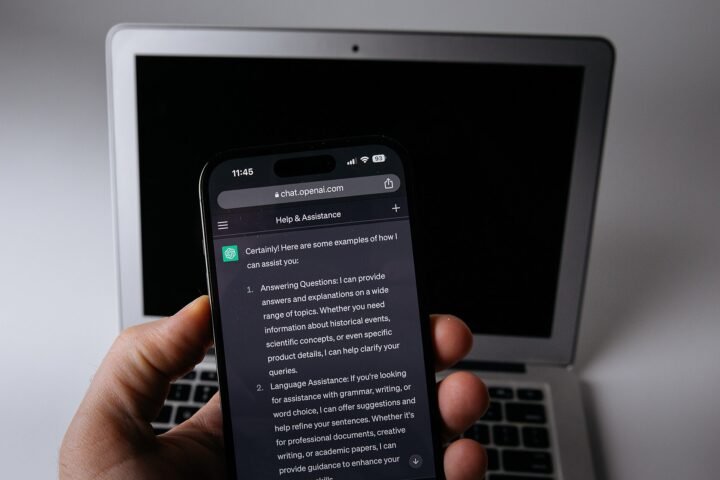
Featured image: A startup AI stack works best when everyone shares one assistant and one set of data rules. · Photo: Crew / Wikimedia Commons, CC0
Related stories



Sources
- OpenAI 4 Oct 2026Free $0, Go $8, Plus $20 per month, Pro from $100 per month
- OpenAI Help Center 4 Oct 2026Standard seat $25/user/month monthly or $20 annual; Premium $125/$100; minimum 2 seats; includes ChatGPT, ChatGPT Work and Codex; OpenAI does not train on workspace data
- Anthropic 4 Oct 2026Free; Pro $20 monthly or $17/month annual; Max from $100; Team standard seat $20 annual/$25 monthly, premium $100/$125; Enterprise $20/seat plus usage; Claude Code included in paid plans
- Google 4 Oct 2026Business Starter US$7, Standard US$14, Plus US$22 per user/month with introductory prices of $4.90, $7 and $15.40 for new customers (first 20 users, 12 months); Gemini in Gmail on Starter; Gemini in Docs, Meet, Drive on Standard
- Microsoft 4 Oct 2026Microsoft 365 Copilot Business add-on from $18/user/month paid yearly (originally $21); Business Premium with Copilot $32/user/month paid yearly
- GitHub Docs 4 Oct 2026Copilot Free; Pro $10; Pro+ $39; Max $100 per month; Business $19 and Enterprise $39 per granted seat per month; AI credits
- Cursor 4 Oct 2026Hobby free; Pro $20/month; Teams $40/user/month; Enterprise custom
- Notion 4 Oct 2026Free; Plus $10; Business $20 per member/month with full Notion AI (agents, meeting notes, enterprise search); Enterprise custom with zero data retention with LLM providers; agents use Notion credits at $10 per 1,000
- Granola 4 Oct 2026Basic free with 30-day history; Business $14; Enterprise $35 per user/month with SSO
- Fireflies.ai 4 Oct 2026Free; Pro $10, Business $19 per seat/month billed annually; Enterprise $39 annual only
- Figma 4 Oct 2026Starter free with up to 500 AI credits/month; Professional full seat $16/month with 3,000 AI credits; Organization full seat $55; Figma Make prompt-to-prototype
- Intercom 4 Oct 2026Fin AI Agent $0.99 per outcome; Early Stage startup discount
- Apollo.io 4 Oct 2026Free plan; Basic $49 per seat/month billed annually
- Buffer 4 Oct 2026Free plan with AI Assistant; Essentials $5 per channel/month