Best AI tools for designers in 2026: Figma, Firefly, Canva and more
Figma AI, Adobe Firefly, Canva, Midjourney, Uizard, Stitch and Framer compared for 2026, with vendor-verified prices, credit limits and copyright rules.
 Ishaan Vardhan9 Oct 2026 · 9 min read · Updated 12 Oct 2026
The best AI tools for designers in 2026 split into two groups. Some generate ideas and assets: Midjourney and Adobe Firefly for imagery, Uizard and Google’s Stitch for quick interface drafts. Others work inside the tools designers already use: Figma’s agent and Figma Make, Canva AI, and Framer’s AI site builder. Most professionals end up using one of each. The deciding factors are less about output quality than about credits, commercial-use terms and who owns the result.
How we compiled this list: We built it from each vendor’s official documentation and pricing pages and from public reviews, as checked on 4 October 2026. We did not test these tools hands-on for this article. Prices and features change often, so confirm details on the vendor’s site before you buy. See our editorial policy and advertising disclosure.
Key takeaways
- Figma now meters AI with credits. Its free Starter plan includes up to 500 AI credits a month, and a Professional Full seat starts at $16 a month with 3,000 credits.
- Adobe Firefly runs from a free tier to $199.99 a month. Adobe says outputs from its own Firefly models are “safe for commercial use”.
- Designers are more cautious than developers. In Figma’s 2025 survey, 31% of designers used AI for core design work, against 59% of developers who used it for core development.
- Copyright depends on human input. The US Copyright Office says prompts alone are not enough to make an AI output protectable.
- We could not verify current Canva or Midjourney prices because their sites blocked our checks. Confirm them before you buy.
Where designers stand on AI
Figma surveyed 2,500 of its users for its 2025 AI report. It found a clear gap between designers and developers: 69% of designers were satisfied with AI tools compared with 82% of developers, and 54% of designers said AI improved the quality of their work compared with 67% of developers. Overall, 78% agreed that AI made their work more efficient, but only 32% said they could rely on its output.
That gap shapes what designers should buy. Tools that speed up exploration and cut busywork, such as variations, resizing, background removal and first-draft layouts, deliver value now. Tools that promise finished, final design still need careful review.
Figma: AI inside the design file
Figma’s AI page lists several connected capabilities. The Figma agent (in beta) generates and remixes designs, creates diagrams, edits images, searches files and gives design feedback. Figma Make turns prompts or existing designs into code-backed prototypes, can work from a connected codebase and can open pull requests. Figma Weave tools offer ready-made AI workflows for images, vectors and video. Figma also offers generative plugins you describe in plain language, prompt-made shader effects, and an MCP server that connects designs to coding agents.
AI use is metered with credits. According to Figma’s pricing page:
- Starter (free): 150 AI credits a day, up to 500 a month.
- Professional: Full seat $16 a month with 3,000 AI credits; Dev seat $12 and Collab seat $3, each with 500 credits.
- Organization: Full seat $55 a month billed annually, with 3,500 credits.
- Enterprise: Full seat $90 a month billed annually, with 4,250 credits.
Figma notes that the number of credits a request uses varies and that included credits “are subject to change”. Teams can buy shared credits pay-as-you-go or by subscription. Students and teachers can use Figma free through Figma for Education. Product designers already working in Figma usually get the most from these features, because the AI works on real components and design systems rather than flat images.
Adobe Firefly: generative imagery with commercial terms
Adobe’s Firefly plans page lists a free plan with daily generations across image, video and audio, then four paid tiers (US prices, checked 4 October 2026):
| Plan | Price per month | Monthly generative credits |
|---|---|---|
| Standard | $9.99 | 2,000 |
| Pro | $19.99 | 4,000 |
| Pro Plus | $49.99 | 10,000 |
| Premium | $199.99 | 50,000 |
Adobe advertised 30% off the first year on the two top tiers when we checked. Firefly also gives access to partner models: GPT Image, Google’s Gemini image model, FLUX, Runway, Kling, Luma, Topaz and ElevenLabs. Adobe’s FAQ says outputs from Adobe Firefly models are safe for commercial use because those models are trained on licensed and public-domain content. Eligible enterprise customers can get IP indemnification for some outputs. Adobe’s statement covers its own models. Check the terms of each partner model separately before using its output in client work.
Canva and Midjourney: marketing assets and concept art
Canva
Canva is the default tool for social posts, presentations and marketing assets at many small teams. In October 2025 it launched its own design model, which generates designs with editable layers and objects rather than flat images, according to TechCrunch. Canva also made its AI assistant available throughout the editor, added 3D object generation and the ability to copy the art style of a design, launched Canva Grow for creating and measuring ads, and made Affinity, its professional design suite, free. Canva’s pricing pages blocked our automated checks, so we have not listed plan prices. Check its site for current Pro and Teams pricing in your region.
Midjourney
Midjourney is known for distinctive, stylised imagery and is widely used for concept art and mood boards. In June 2025 it launched V1, its first video model, which turns an image into a set of four five-second clips, as TechCrunch reported. Midjourney said at launch that video was available from $10 a month. Its site blocked our checks, so confirm current pricing directly. The same report noted that Disney and Universal had sued Midjourney the week before, alleging that its models produce images of their copyrighted characters. For client work, that legal uncertainty is a reason to keep Midjourney for exploration and use cleared assets in final deliverables.

UI generators: Uizard, Google Stitch and Framer
Uizard
Uizard’s pricing includes a Free plan with three AI generations a month on its older Autodesigner 1.5 engine and two projects. Pro costs $12 a month billed annually, with 500 generations a month on Autodesigner 2.0 and up to 100 projects. Business costs $39 a month billed annually, with 5,000 generations. It suits founders and product managers who need clickable mock-ups quickly. Designers tend to use it for first drafts before moving to Figma.
Google Stitch
Google Labs introduced Stitch in May 2025 as an experiment that turns text prompts or images such as whiteboard sketches and screenshots into UI designs and front-end code. It was built on Gemini 2.5 Pro at launch, generates multiple variants, and can paste designs into Figma or export code. Because it is a Labs experiment, its features and limits may change.
Framer
Framer’s pricing starts with a free plan that includes 500 AI credits to try the product and a Framer domain. Basic costs $10 a month and Pro $30 a month with yearly billing, each with monthly AI credit allowances you can increase. Framer is a good fit for designers who want to publish marketing sites without handing off to developers.

A sensible AI design workflow
- Explore wide, early. Use an image model or a UI generator to produce many rough directions in the first hour of a project. That is where AI saves the most time and where mistakes cost least.
- Move into your main tool quickly. Bring the strongest direction into Figma or Canva and rebuild it with your real type, colour and components. Generated screens rarely match a design system without manual work.
- Use AI for production chores. Resizing for many formats, background removal, alt-text drafts and placeholder copy are low-risk and save hours.
- Track your credits. Figma, Firefly and Framer all meter AI use, so set team limits before a busy sprint uses the month’s allowance.
- Record what you changed. Keep versions that show your human edits. The next section explains why that matters.
Who owns AI-assisted design work?
This is the question clients ask most often. In January 2025, the US Copyright Office published Part 2 of its report on copyright and AI. It concluded that AI outputs can be protected “only where a human author has determined sufficient expressive elements”, for example through creative arrangement or modification, but “not the mere provision of prompts”. Using AI to assist, or including AI material in a larger human-made work, does not prevent protection for the human-authored parts.
In practice, keep your layered source files and edit history, document what you changed by hand, and tell clients which elements are AI-generated. Rules differ outside the US, so for high-value brand work such as logos and mascots, confirm ownership with a qualified IP lawyer before delivery. This article is general information, not legal advice.
How to choose: a quick guide
| If you mainly do… | Start with | Why |
|---|---|---|
| Product and UI design | Figma (agent, Make) | Works on your real components and design system |
| Brand imagery for clients | Adobe Firefly | Adobe’s commercial-use statement for its own models |
| Social and marketing assets | Canva | Editable AI layouts and brand tools in one place |
| Concept art and mood boards | Midjourney | Distinctive look; keep for exploration |
| Fast mock-ups as a founder or PM | Uizard or Stitch | Prompt or sketch to screens in minutes |
| Marketing websites | Framer | Design and publish without a developer |
Bottom line
AI has not replaced design judgement. It has made exploration faster and production cheaper. The best setup for most designers in 2026 is the AI built into their main tool, Figma for product work or Canva for marketing, plus one image generator whose commercial terms they understand. Budget for credits rather than seats, keep proof of your human edits, and treat outputs from unlicensed models as drafts. If you’re looking for a design role at a company building these tools, see open roles at Figma on our jobs board, or browse recent AI launches.
FAQ
Is Figma AI free?
Partly. Figma’s free Starter plan includes 150 AI credits a day, up to 500 a month. Paid seats include more credits, and teams can buy extra on a pay-as-you-go basis.
Can I use Adobe Firefly images commercially?
Adobe says outputs from its own Firefly models are safe for commercial use because they are trained on licensed and public-domain content. Partner models inside Firefly come with their own terms.
Will AI replace graphic designers?
Current data suggests not soon. In Figma’s 2025 survey, only 32% of respondents said they could rely on AI output, and designers were less satisfied with AI tools than developers were.
Can I copyright a logo I made with Midjourney?
In the US, not on the strength of prompts alone. The Copyright Office protects only the expressive elements a human determined, such as substantial edits or arrangement. Get legal advice for important brand assets.
What is the best free AI design tool?
For UI work, Figma’s Starter plan and Google Stitch are good starting points. For imagery, Adobe Firefly’s free tier offers daily generations. Uizard and Framer also have free tiers with limited AI use.
Sources
- Figma, “Figma AI”, accessed 4 October 2026
- Figma, “Plans and pricing”, accessed 4 October 2026
- Figma Blog, “Figma’s 2025 AI report: Perspectives from designers and developers”, 24 April 2025
- Adobe, “Adobe Firefly plans”, accessed 4 October 2026
- TechCrunch, “Canva launches its own design model, adds new AI features to the platform”, 30 October 2025
- TechCrunch, “Midjourney launches its first AI video generation model, V1”, 18 June 2025
- Uizard, “Pricing”, accessed 4 October 2026
- Google Developers Blog, “From idea to app: Introducing Stitch, a new way to design UIs”, 20 May 2025
- Framer, “Pricing”, accessed 4 October 2026
- Figma, “Figma for Education”, accessed 4 October 2026
- U.S. Copyright Office, “Copyright Office Releases Part 2 of Artificial Intelligence Report” (NewsNet Issue 1060), 29 January 2025
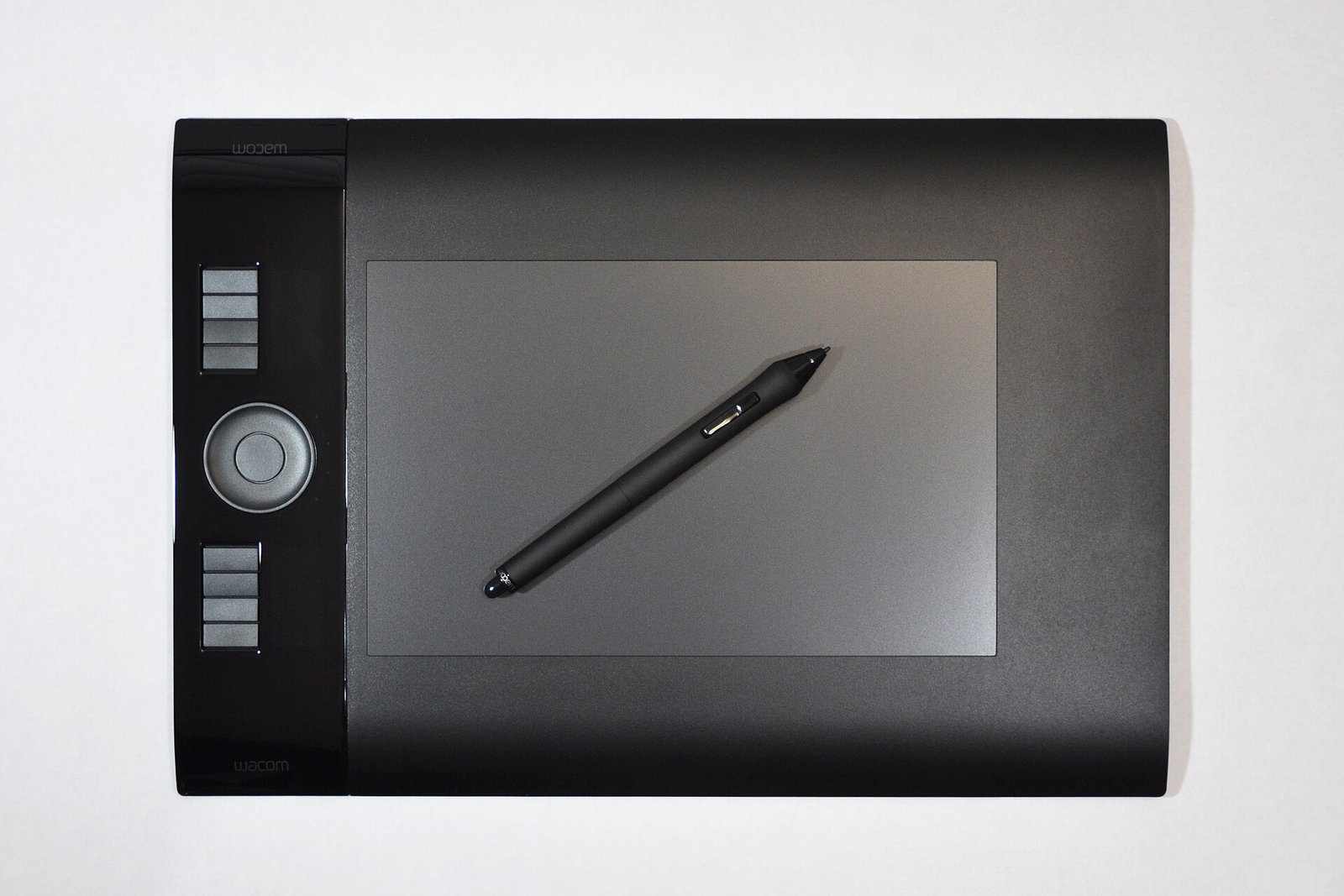
Featured image: AI tools now sit alongside the designer's usual hardware and software. · Photo: Joe Ravi / Wikimedia Commons, CC BY-SA 3.0
Related stories



Sources
- Figma 4 Oct 2026Figma agent, Make, Weave, generative plugins, shaders, MCP server
- Figma 4 Oct 2026Plan prices and AI credits per seat; credits subject to change
- Figma 24 Apr 20252,500 users; designer vs developer satisfaction and use; 78% efficiency; 32% rely on output
- Adobe 4 Oct 2026Firefly plan prices and credits; partner models; commercial-use statement; indemnification
- TechCrunch 30 Oct 2025Canva design model, AI assistant, 3D, Canva Grow, Affinity free
- TechCrunch 18 Jun 2025Midjourney V1 video, $10/month at launch, Disney/Universal lawsuit
- Uizard 4 Oct 2026Free/Pro $12/Business $39 billed annually; AI generations per month
- Google Developers Blog 20 May 2025Stitch launch; Gemini 2.5 Pro; paste to Figma; code export
- Framer 4 Oct 2026Free 500 AI credits; Basic $10; Pro $30 yearly billing
- Figma 4 Oct 2026Figma and FigJam free for students and teachers
- U.S. Copyright Office 29 Jan 2025AI outputs protectable only with sufficient human expressive elements; prompts alone insufficient