Best automation tools in 2026: Zapier vs Make vs Pabbly vs n8n
Zapier, Make, Pabbly Connect, n8n and Power Automate compared on free plans, real costs, rupee pricing and GST, and which one suits your team.
 Ishaan Vardhan22 Nov 2026 · 11 min read

The best automation tool for most small teams in 2026 is Zapier: it connects more than 10,500 apps and non-technical staff can build a workflow in minutes, though it costs more per task than its rivals. Choose Make for complex workflows on a budget, Pabbly Connect if you want rupee pricing and a fixed bill, n8n if a developer can self-host it, and Power Automate if your company already runs on Microsoft 365 and Windows.
We read each vendor’s pricing page and documentation on 15 November 2026. Each tool counts usage differently (tasks, credits or executions), so the cheapest headline price is not always the cheapest bill.
Key takeaways
- Zapier’s free plan gives 100 tasks a month on two-step Zaps; Pro starts at $19.99 a month billed yearly, according to its pricing page on 15 November 2026.
- Make’s paid plan starts at $9 a month billed yearly for 5,000 credits, the lowest dollar entry price on this list.
- Pabbly Connect is priced in rupees and does not count triggers or internal steps such as filters and routers as tasks.
- n8n’s Community Edition is free to self-host, and its cloud plans store data in Frankfurt, Germany.
- Power Automate Premium costs ₹1,250 per user a month, paid yearly, with GST extra.
Some links may be affiliate links; we may earn a commission. That doesn’t change our ranking.
How we picked
We compared workflow automation tools on four things: the free plan, the real cost of the first paid tier, how each one counts usage, and what it offers buyers in India, such as rupee prices or GST notes. Every product below was live with a public pricing page on 15 November 2026. Limits and prices come from each vendor’s own pages. No vendor paid to be included and nothing here is sponsored.
These are general automation platforms. For AI tools built for specific marketing jobs, see our list of the best AI marketing tools.
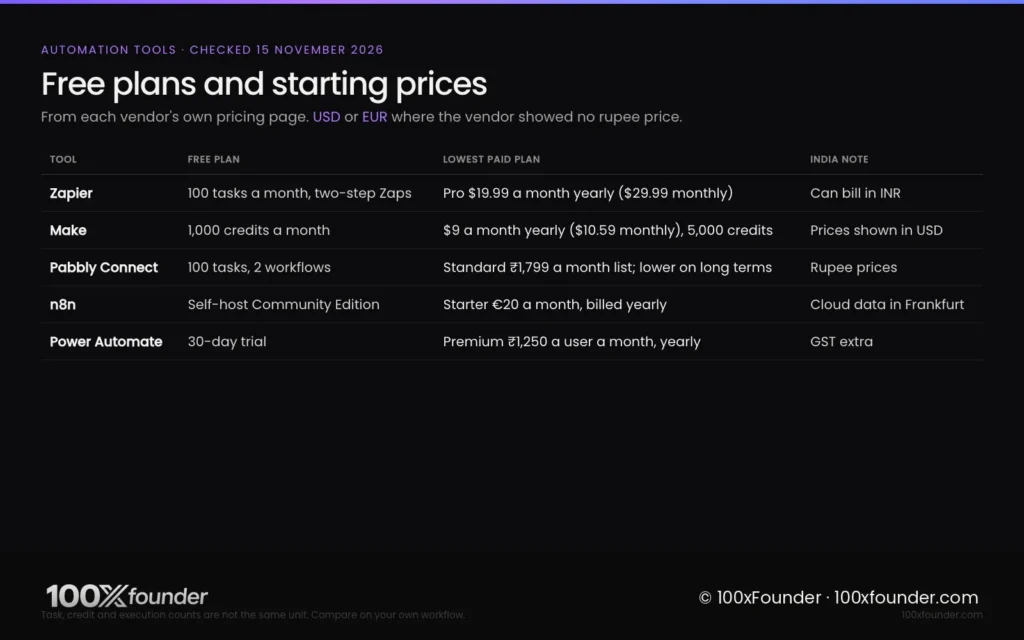
Automation tools compared: free plans and starting prices
Automation tools range from free self-hosted software to ₹1,250 per user a month. The table shows each tool’s free plan, cheapest paid plan, billing and India-specific details.
Workflow automation tools compared. Prices from each vendor’s own pricing page, checked 15 November 2026. “Not stated” means the pricing page did not mention it.
| Tool | Free plan | Starting price | Billing note | GST note | India points |
|---|---|---|---|---|---|
| Zapier | Yes, 100 tasks a month, two-step Zaps | Pro $29.99 a month (750 tasks) | $19.99 a month billed yearly | Not stated | Can bill in INR, converted at the exchange rate on the day |
| Make | Yes, 1,000 credits a month | $10.59 a month (5,000 credits) | $9 a month billed yearly (15% off) | Not stated | USD shown; cards, ACH and Google Pay |
| Pabbly Connect | Yes, 100 tasks, 2 workflows | Standard ₹1,799 a month list (10,000 tasks) | ₹1,138 a month shown on a multi-year term; lifetime plans | Not stated | Rupee prices; Indian company |
| n8n | Community Edition, free to self-host | Starter €20 a month (2,500 executions) | Billed yearly | Not stated | Cloud data in Frankfurt; self-host in India if you choose |
| Power Automate | 30-day trial | Premium ₹1,250 a user a month | Paid yearly | GST extra as applicable | Rupee prices on Microsoft’s India page |
The best automation tools, ranked
The five tools below are ranked for a startup or small business automating sales, marketing and operations work.
1. Zapier
Who it’s for: Non-technical founders and operations staff who want the widest app coverage and the gentlest learning curve.
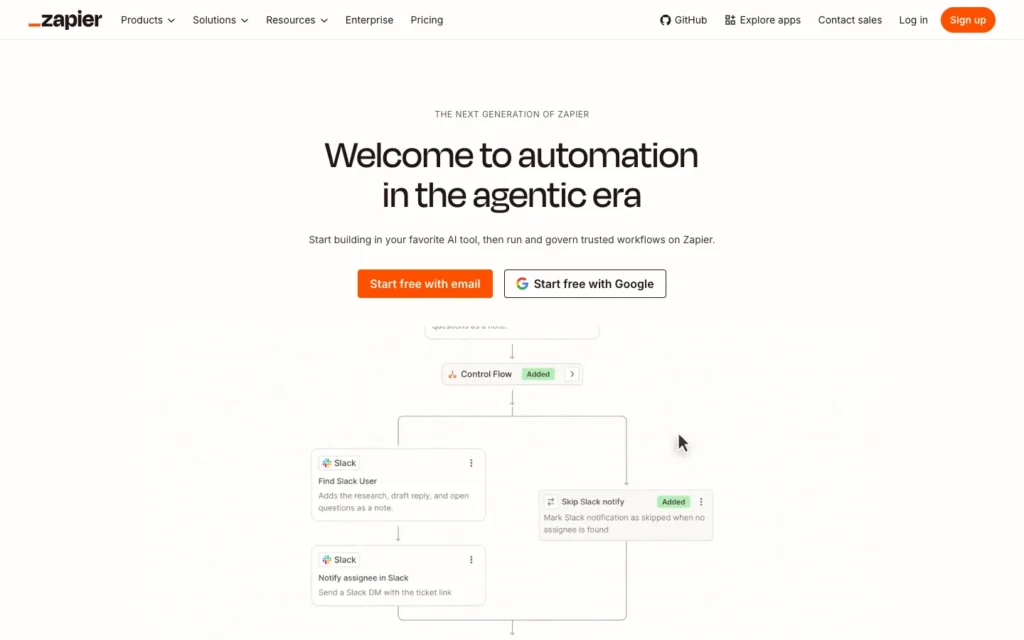
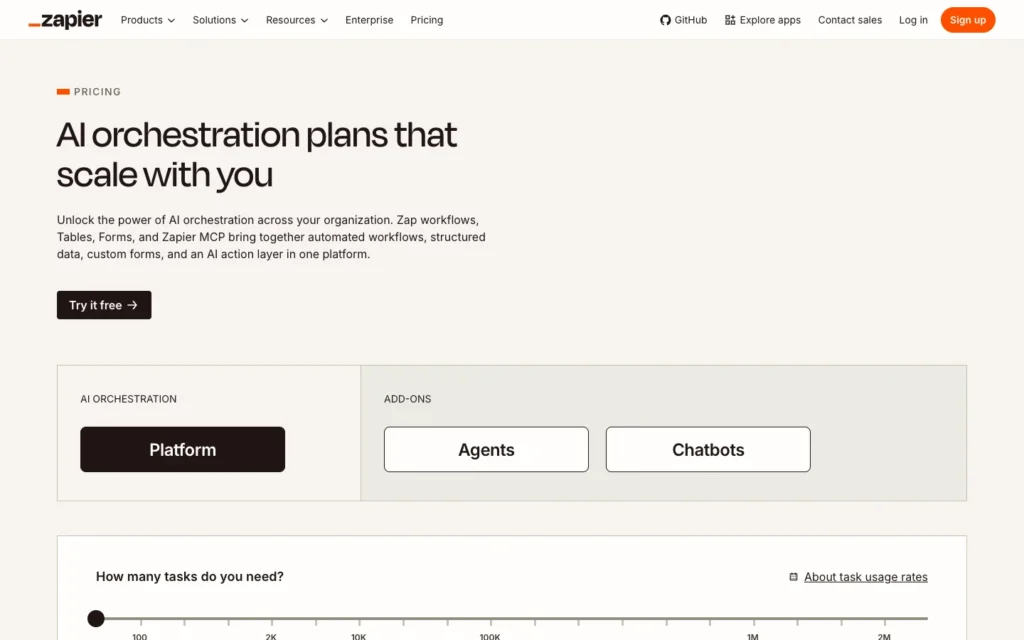
Pricing: The free plan includes 100 tasks a month, two-step Zaps and 15-minute polling. Professional costs $29.99 a month for 750 tasks, or $19.99 a month billed yearly, and Team costs $103.50 a month for 2,000 tasks, or $69 billed yearly, according to Zapier’s pricing page. New accounts get a 14-day Professional trial without a card. Zapier sets prices in dollars but can bill in 19 local currencies, including INR, at the exchange rate on the day of payment.
Pros
- Connects more than 10,512 apps, according to its app directory, the widest coverage here.
- Tables, Forms, Agents and chatbots come bundled with the free plan.
- Indian buyers can choose to be billed in rupees.
Cons
- The most expensive per task: 10,000 tasks cost $129 a month billed yearly on Pro.
- The free plan allows only two-step Zaps.
- Rupee bills move with the exchange rate, so they can change between periods.
Verdict: Zapier is the safest choice when the people building automations are not technical. Watch your task count; it is the main cost driver.
2. Make
Who it’s for: Teams building multi-step workflows with branches and loops who want a lower bill than Zapier.
Pricing: Make’s free plan includes 1,000 credits a month with a 15-minute minimum interval between runs. The paid Make Plan costs $10.59 a month for 5,000 credits on monthly billing, or $9 a month billed yearly, which works out to $2.12 or $1.80 per 1,000 credits, according to Make’s pricing page. Most actions use one credit; routers and error handlers use none. Startups under 20 employees can apply for 50% off the Business tier.
Pros
- The lowest entry price on this list for a cloud tool.
- A visual canvas suited to branching, looping workflows; the free plan lists 3,500+ apps.
- Unlimited active scenarios on the paid plan.
Cons
- Credits expire at the end of each term.
- Scenarios stop when credits run out until you buy more.
- No rupee pricing or GST details on the pricing page.
Verdict: Make gives the most automation per dollar for teams willing to learn its visual builder.
3. Pabbly Connect
Who it’s for: Indian small businesses that want rupee pricing, predictable costs and the option of a one-time payment.
Video: Pabbly’s official channel
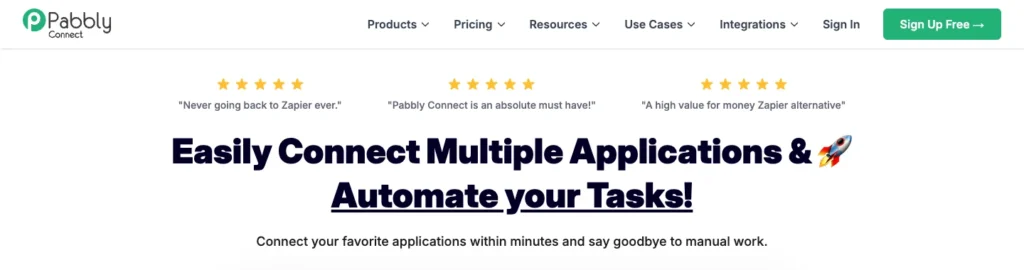
Pricing: Pabbly Connect lists every plan in rupees. The free plan includes 100 tasks a month and two workflows of up to two steps. Standard has a list price of ₹1,799 a month for 10,000 tasks and shows ₹1,138 a month on a multi-year term; Unlimited shows ₹4,999 a month. Lifetime plans start at ₹32,799 one-time for 3,000 tasks a month, according to Pabbly’s pricing page. Yearly, two-year and three-year terms save 15%, 20% and 25%.
Pros
- Triggers and internal steps such as filters, routers and formatters do not count as tasks.
- Rupee prices from an Indian company.
- Lifetime plans give a fixed cost if you will use it for years.
Cons
- Lifetime plans include one year of support and cannot be upgraded later, the page warns.
- The cheapest per-month figures need multi-year prepayment.
- The pricing page does not show GST amounts.
Verdict: Pabbly Connect is the best value for rupee-paying businesses with steady, simple workflows. Read the lifetime-plan limits before paying once.
4. n8n
Who it’s for: Technical teams who want to self-host, write code inside workflows and keep data on their own servers.
Video: n8n’s official channel
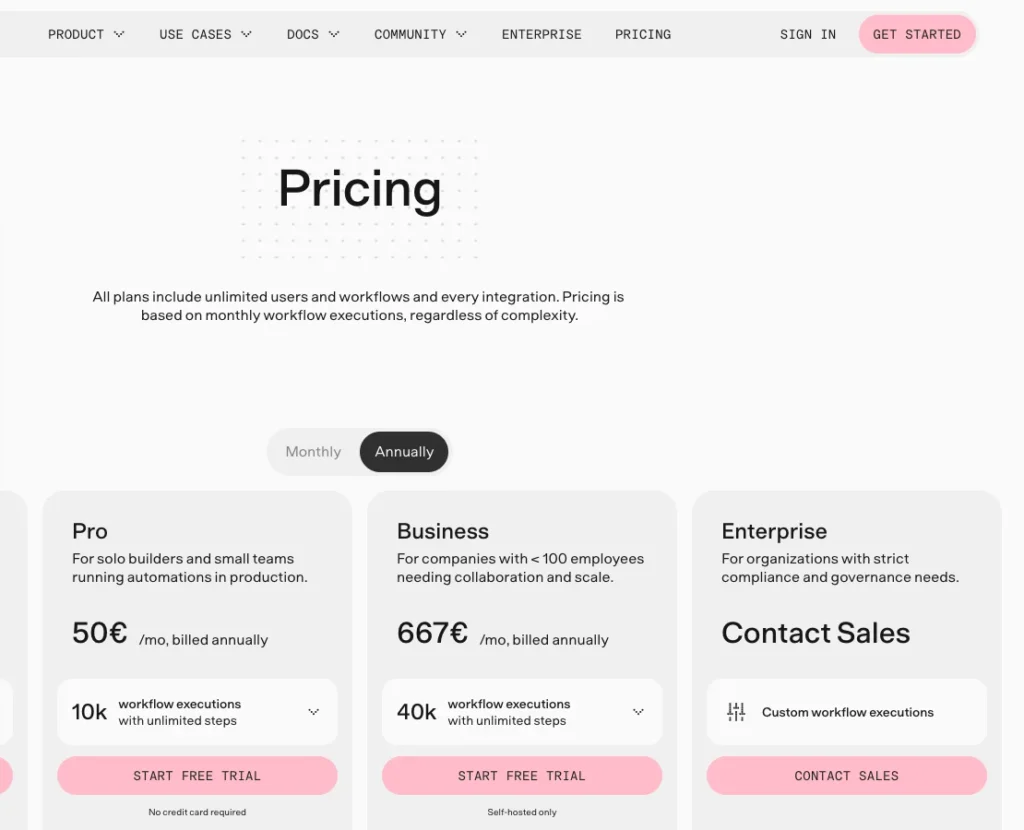
Pricing: n8n’s Community Edition is “the free edition” that runs without a licence key, according to n8n’s documentation; it lacks SSO, Git version control and workflow sharing. n8n Cloud Starter costs €20 a month billed yearly for 2,500 executions, and Pro €50 for 10,000, according to n8n’s pricing page. Self-hosted Business costs €667 a month billed yearly. A cloud trial gives 1,000 executions without a card.
Pros
- Self-hosting puts data wherever you run it, including on Indian servers.
- Counts executions, not steps, which suits long workflows.
- Companies under 20 employees may get 50% off Business.
Cons
- Its Sustainable Use License is fair-code, not open source in the strict sense, according to its GitHub page.
- Hosted cloud data sits in Frankfurt, Germany.
- Self-hosting needs someone to run servers, updates and backups.
Verdict: n8n is the most flexible tool here for developers and the cheapest at high volume if you self-host.
5. Microsoft Power Automate
Who it’s for: Companies already on Microsoft 365 that need cloud flows plus desktop automation of Windows apps and Excel.
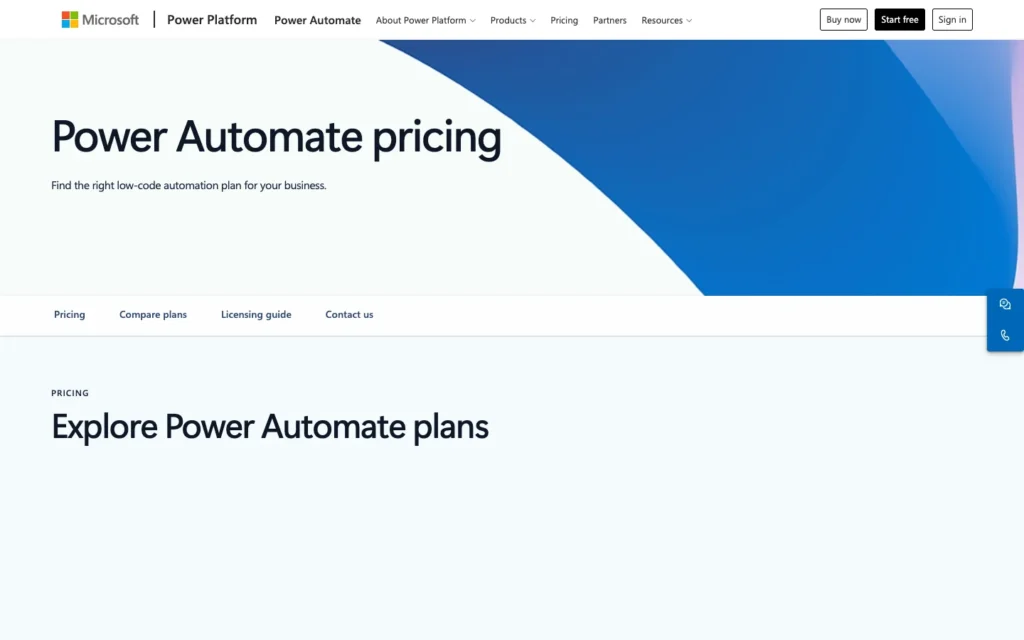
Pricing: Power Automate Premium costs ₹1,250 per user a month, paid yearly, with GST extra; the per-bot Process plan costs ₹12,480 a month and Hosted Process ₹17,885, according to Microsoft’s India pricing page. A 30-day free trial covers cloud flows and standard connectors. Microsoft notes that prices shown may differ at checkout.
Pros
- Desktop flows automate Windows apps, Excel files and legacy systems, according to Microsoft Learn.
- Rupee pricing with a clear GST note.
- Per-bot Process plans cover unattended automation.
Cons
- Per-user pricing gets expensive across a team.
- The free trial covers only cloud flows with standard connectors.
- Yearly payment only on the listed plans.
Verdict: Power Automate is the right choice for Microsoft-first companies, especially those that need desktop automation. Others will find Zapier or Make simpler.
Tasks, credits and executions: how each tool bills
Automation tools charge for usage in different units, so compare them on one real workflow rather than on headline prices. A five-step workflow that runs 1,000 times a month uses a different amount on each platform.
- Zapier sells plans by monthly tasks, from 100 on the free plan to 2,000,000 on the largest listed tier.
- Make counts credits per module action, with most actions using one credit and routers and error handlers using none.
- Pabbly Connect counts tasks for external actions but not for triggers or internal steps such as filters and formatters.
- n8n counts one execution per full workflow run, however many steps it has.
- Power Automate charges per user or per bot rather than per run.
For long workflows with many steps, n8n’s per-execution model and Pabbly’s free internal steps can cost less. For short two- or three-step automations, the gap narrows and ease of use matters more.
Which automation tool to choose
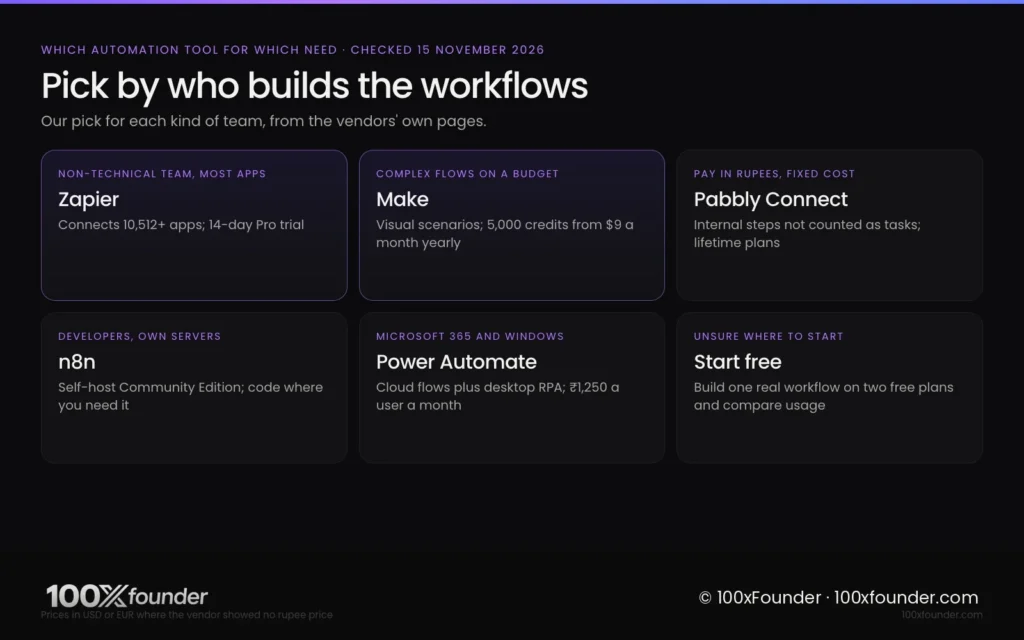
The right automation tool depends on who builds the workflows and how you want to pay.
- Best overall: Zapier, for app coverage and ease of use.
- Best value: Make, from $9 a month billed yearly.
- Best for paying in rupees: Pabbly Connect, from ₹1,799 a month list or a lifetime plan.
- Best for developers and self-hosting: n8n Community Edition.
- Best for Microsoft 365 companies: Power Automate, ₹1,250 per user a month plus GST.
A common setup for a startup is Zapier or Make for marketing and sales hand-offs, such as sending new leads from a form to a CRM. Our guide to the best AI sales tools covers the CRM and outreach side.
Before you commit, build the same real workflow on two free plans and check the usage each one records after a week. That number, not the plan name, decides your bill.
FAQ
What is the cheapest alternative to Zapier?
Make has the lowest dollar entry price on our list: $9 a month billed yearly for 5,000 credits, according to its pricing page on 15 November 2026. Pabbly Connect is cheaper for many Indian buyers because it is priced in rupees and does not count internal steps as tasks. n8n Community Edition is free if you can self-host it.
Is Zapier free to use?
Yes, Zapier has a free plan with 100 tasks a month, two-step Zaps and 15-minute polling, according to its pricing page on 15 November 2026. Multi-step Zaps need the Professional plan, which costs $19.99 a month billed yearly or $29.99 monthly for 750 tasks. New accounts also get a 14-day Professional trial without a card.
Which automation tool is best for Indian small businesses?
Pabbly Connect suits many Indian small businesses because every plan is priced in rupees and lifetime plans give a fixed cost. Zapier can also bill in INR, and Microsoft lists Power Automate in rupees with GST extra. Choose based on the apps you use: check that each one appears in the tool’s integration list.
Is n8n free?
n8n’s Community Edition is free to self-host, according to its documentation, but it lacks features such as SSO, Git version control and workflow sharing. n8n Cloud, which n8n hosts for you, starts at €20 a month billed yearly for 2,500 executions. You pay your own server costs when you self-host.
Zapier or Make: which is better?
Zapier is better if non-technical people will build automations, because it is simpler and connects more than 10,500 apps. Make is better value for complex, branching workflows, starting at $9 a month billed yearly for 5,000 credits. Build one real workflow on both free plans and compare the usage before you pay.
Bottom line
Zapier is the best automation tool for most small teams because anyone can use it and it connects to almost everything. If price matters more than polish, Make and Pabbly Connect deliver more runs per rupee, and n8n wins for developers who can host it. Pick the tool your team will actually maintain, then measure usage on a real workflow before choosing a plan.
Sources
- Zapier, “Plans and pricing”, checked 15 November 2026. Link
- Zapier, “App directory”, checked 15 November 2026. Link
- Make, “Pricing”, checked 15 November 2026. Link
- Pabbly, “Pabbly Connect pricing”, checked 15 November 2026. Link
- n8n, “Pricing”, checked 15 November 2026. Link
- n8n, “Community edition features”, checked 15 November 2026. Link
- n8n on GitHub, “n8n repository”, checked 15 November 2026. Link
- Microsoft, “Power Automate pricing (India)”, checked 15 November 2026. Link
- Microsoft Learn, “Introduction to desktop flows”, updated 23 August 2026. Link
Related stories



Sources (9)
- Zapier 15 Nov 2026Free 100 tasks/month two-step Zaps, 15-minute polling; Pro $29.99 monthly / $19.99 annual for 750 tasks; Team $103.50 / $69 for 2,000 tasks; 14-day Pro trial without card; INR among 19 billing currencies
- Zapier 15 Nov 2026Connects 10,512+ apps
- Make 15 Nov 2026Free 1,000 credits/month, 15-minute minimum interval; Make Plan $10.59 monthly or $9 annual for 5,000 credits ($2.12 / $1.80 per 1,000); 3,500+ apps; credits expire at end of term; cards, ACH and Google Pay; Start-up Plan 50% off Business
- Pabbly 15 Nov 2026INR prices: Free 100 tasks, 2 workflows of 2 steps; Standard Rs 1,799 list, Rs 1,138 a month shown on multi-year term, 10,000 tasks; lifetime plans from Rs 32,799; triggers and internal steps not counted as tasks
- n8n 15 Nov 2026Starter EUR 20/month billed annually, 2,500 executions; Pro EUR 50, 10,000 executions; self-hosted Business EUR 667; cloud data stored in Frankfurt; trial 1,000 executions without card; startup 50% off Business
- n8n 15 Nov 2026Community edition is the free edition run without a licence key; lacks SSO, Git version control, workflow sharing and other features
- n8n on GitHub 15 Nov 2026Fair-code, distributed under the Sustainable Use License
- Microsoft 15 Nov 2026Premium Rs 1,250 user/month paid yearly; Process Rs 12,480 bot/month; Hosted Process Rs 17,885; GST extra as applicable; 30-day free trial
- Microsoft Learn 23 Aug 2026Desktop flows automate Windows apps, Excel and legacy systems; sign in with a Microsoft account, work or school account, or premium org account