Best AI meeting note takers in 2026: Otter, Fireflies, Granola, Fathom
Otter, Fireflies, Fathom, Granola and the AI built into Zoom, Meet and Teams compared on price, free tiers, bots, languages, compliance and consent rules.
 Ishaan Vardhan8 Oct 2026 · 11 min read · Updated 12 Oct 2026
The best AI meeting note taker for you depends mostly on two things: whether you are happy for a bot to join your calls, and which video platform your company already pays for. If you use Zoom, Google Meet or Microsoft Teams on a paid business plan, try the built-in AI notes first. If you need cross-platform notes, CRM sync or no visible bot, Otter, Fireflies, Fathom and Granola each fill a different gap, and all four have a free tier.
How we compiled this list: We built it from each vendor’s official documentation and pricing pages and from public reviews, as checked on 4 October 2026. We did not test these tools hands-on for this article. Prices and features change often, so confirm details on the vendor’s site before you buy. See our editorial policy and advertising disclosure.
Key takeaways
- Fathom and Fireflies have the most generous free plans. Fathom offers unlimited free recordings and transcriptions, and Fireflies offers unlimited transcription with limited AI summaries and storage.
- Granola never sends a bot. It captures audio from your own device, which suits people who find meeting bots awkward, but it also puts the duty to tell others squarely on you.
- Zoom’s core meeting summaries are still included in eligible paid Zoom Workplace plans. Its new ZoomMate add-on costs $20 per user per month billed monthly.
- Recording laws differ. US federal law needs one party’s consent, but around 11 US states require everyone’s consent, so announce your note taker on every call.
How we compared the tools
We checked each vendor’s own pricing and help pages on 4 October 2026 and compared them on criteria that decide whether a note taker works for a team, not on which summaries we liked best:
- Capture method: does a bot join the call, or does the app record your device’s audio?
- Platforms: Zoom, Google Meet, Microsoft Teams, in-person meetings and phone calls.
- Free tier and price per user: what you get for nothing, and the annual and monthly price of paid plans.
- Languages: how many languages transcription supports.
- Integrations: CRM (Salesforce, HubSpot), Slack, Notion and APIs.
- Security and compliance: SOC 2, HIPAA, SSO, data retention and training on your data.
Prices below are in US dollars as shown on the vendors’ pages. Taxes and regional offers vary. Otter, for example, showed a lower promotional Pro price for India-issued cards when we checked.
Otter.ai: the established all-rounder
Otter sends an assistant into Zoom, Microsoft Teams and Google Meet calls to transcribe and write notes. According to Otter’s pricing page, the free Basic plan includes 300 transcription minutes a month, a 30-minute cap per conversation and three lifetime file imports. Pro costs $8.33 per user per month billed annually and raises the limits to 1,200 minutes and 90 minutes per meeting, with Salesforce, HubSpot and Zapier integrations. Business costs $19.99 per user per month billed annually and offers unlimited meetings, up to four hours per meeting, three concurrent meetings and admin activity logs. Enterprise adds SSO, SCIM, an Otter API and webhooks, and HIPAA compliance as an add-on.
Otter transcribes English, Spanish, French, German, Japanese and Chinese, so it is less suited to teams that hold meetings in other languages. It also now lists an MCP server, which lets AI assistants that support the protocol query your meeting history.
Who it suits: individuals and small teams who want reliable live transcripts across all three big platforms, and sales teams on Business or Enterprise that need CRM connections.
Fireflies.ai: widest language support and conversation analytics
Fireflies’ free plan is unusually broad. According to its pricing page, it includes unlimited transcription (with conditions), limited AI summaries, 400 minutes of storage per team, transcription in more than 100 languages, and support for Zoom, Google Meet, Teams and other platforms. Pro costs $10 per seat per month billed annually, or $18 monthly, with unlimited AI summaries and 8,000 minutes of storage per seat. Business costs $19 annually, or $29 monthly, with unlimited storage, conversation intelligence and team analytics. Enterprise is $39 per seat per month on annual billing only and adds SSO, SCIM, audit logs, HIPAA compliance and custom data retention.
Fireflies normally joins as a bot, but its Chrome extension can record without the Fireflies bot. Recordings are capped at three hours. The company lists SOC 2 Type II and GDPR compliance and says customer data is not used for AI training.
Who it suits: multilingual teams, managers who want talk-time and sentiment analytics, and companies that want to try a full-featured tool before paying.
Fathom: the most generous free plan
According to Fathom’s pricing page, its free plan gives unlimited recordings and transcriptions, instant AI summaries, clips and search, with the choice of bot or bot-free capture. Premium costs $16 per month billed annually ($20 monthly) and adds advanced summaries, AI action items and an assistant you can question. Team costs $15 per user annually ($19 monthly) for two or more users, with shared playlists and global search. Business costs $25 per user annually ($34 monthly) and adds CRM field sync, deal views, coaching metrics and AI scorecards. Enterprise adds SSO, SCIM and custom data retention.
Fathom’s homepage lists support for Zoom, Google Meet and Microsoft Teams, and integrations with Salesforce, HubSpot, Slack, Notion and Asana, plus a public API. It also lists SOC 2 Type II, GDPR and HIPAA compliance.
Who it suits: solo founders and consultants who want strong free notes, and sales teams that want call summaries written straight into the CRM.
Granola: bot-free notes you write with the AI
Granola works differently. It does not join your meeting. According to Granola’s website, it transcribes your computer’s audio in the background while you jot your own rough notes, then uses the transcript to expand them. It runs on macOS and Windows, with iPhone and Android apps for in-person meetings and calls, and it works with Zoom, Meet, Teams and other meeting apps.
According to Granola’s pricing page, the free Basic plan keeps 30 days of meeting history. Business costs $14 per user per month for unlimited notes and history, integrations with Notion, HubSpot, Affinity and Zapier, and API and MCP access. Enterprise costs $35 per user per month and adds SSO, SCIM, HIPAA-compliant workspaces and the ability to opt everyone in the team out of model training. Granola lists SOC 2 Type II across all plans.

Who it suits: founders, investors and consultants who take many external calls where a bot would feel intrusive, and anyone who wants notes shaped by their own priorities rather than a generic summary. Because nothing visible joins the call, you must tell participants yourself.
Built-in AI in Zoom, Google Meet and Microsoft Teams
Zoom
In June 2026 Zoom folded its AI Companion features into Zoom Workplace under plain names such as “meeting summary”. According to Zoom’s announcement, meeting summaries, transcription and chat compose remain included in eligible paid Workplace plans at no additional cost. Its new agentic product, ZoomMate, costs $20 per user per month billed monthly or $16.67 billed annually, with 2,200 AI credits per user a month, according to ZoomMate’s pricing page. The paid plan adds unlimited AI note-taking and custom summary templates. The free ZoomMate Basic tier limits meeting summaries to three hosted meetings a month.
Google Meet
Google’s “Take notes for me” feature writes notes with Gemini. According to Google Meet Help, the meeting organiser needs an eligible Workspace edition or Google AI plan. Notes are saved to the organiser’s Google Drive and attached to the Calendar event. It supports eight languages (English, French, German, Italian, Japanese, Korean, Portuguese and Spanish), one per meeting, and is recommended for meetings of 15 minutes to eight hours. Meet tells every participant when notes are being taken and shows a pencil icon. On Google’s Workspace pricing page, Gemini in Meet appears from the Business Standard plan up.
Microsoft Teams
Microsoft sells AI meeting notes for Teams in two ways. Teams Premium costs $10 per user per month on annual billing, includes intelligent recap and requires a Teams licence. Microsoft 365 Copilot Business costs $18 per user per month on annual billing (reduced from $21 when we checked) and brings Copilot into Teams, Word, Outlook and other apps, along with prebuilt agents including Facilitator.
Who the built-ins suit: companies that hold almost every meeting on one platform and already pay for it. You avoid another vendor review, and notes stay inside systems your IT team already manages. They are weaker when you join clients’ calls on other platforms.
Side-by-side comparison
| Tool | Capture | Free tier | Paid from (annual billing) | Notable compliance |
|---|---|---|---|---|
| Otter.ai | Bot joins Zoom, Meet, Teams | 300 min/month, 30 min/meeting | Pro $8.33/user/month | SSO, SCIM; HIPAA add-on (Enterprise) |
| Fireflies.ai | Bot; Chrome extension without bot | Unlimited transcription, limited summaries, 400 min storage | Pro $10/seat/month | SOC 2 Type II, GDPR; HIPAA (Enterprise) |
| Fathom | Bot or bot-free | Unlimited recordings and transcripts | Premium $16/month; Team $15/user | SOC 2 Type II, GDPR, HIPAA |
| Granola | Device audio, no bot | 30-day history | Business $14/user/month | SOC 2 Type II; HIPAA (Enterprise) |
| Zoom Workplace | Built in | Basic ZoomMate: 3 summaries/month | Included in eligible paid plans; ZoomMate $16.67 | Managed in Zoom admin |
| Google Meet | Built in | None | Eligible Workspace edition | Managed in Workspace admin |
| Microsoft Teams | Built in | None | Teams Premium $10; Copilot Business $18 | Managed in Microsoft 365 admin |
Consent and recording rules
An AI note taker is a recording device, so recording laws apply. According to the Reporters Committee for Freedom of the Press, US federal law requires the consent of at least one party, but about 11 states, including California, Florida, Illinois, Massachusetts, Pennsylvania and Washington, require the consent of everyone in the conversation. For calls across state lines, the guide advises assuming the stricter law applies. Other countries have their own rules, and in Europe recordings and transcripts usually contain personal data, which is one reason vendors advertise GDPR compliance.

The practical rule is simple: say at the start of every call that you are using an AI note taker, and switch it off if anyone objects. Built-in tools like Google Meet show participants a visible notice, but bot-free tools rely on you. This is general information, not legal advice; confirm your obligations with a qualified lawyer in your jurisdiction.
Which note taker to use for what
- You run every meeting on one platform your company pays for: start with Zoom’s included summaries, Google Meet’s “Take notes for me” or Teams Premium.
- You join calls on many platforms and want to pay nothing: Fathom’s free plan, or Fireflies’ free plan if you need many languages.
- Sales calls that must land in Salesforce or HubSpot: Fathom Business, Otter’s paid plans or Fireflies.
- External calls where a bot would be awkward: Granola, or Fathom and Fireflies in their bot-free modes, always with a spoken heads-up.
- Healthcare or other regulated data: compare the HIPAA options on Fireflies Enterprise, Otter Enterprise, Granola Enterprise and Fathom, and get your compliance team to review the contract.
For more AI tools, browse new products on our launches page and follow vendor updates in our news section.
Bottom line
For most teams, the cheapest good option is the one you already own: Zoom, Meet and Teams all include or sell AI notes inside the meeting tool. Standalone note takers earn their place when you meet across platforms, need CRM sync, or want notes without a bot. Fathom offers the most on a free plan, Fireflies covers the most languages, Otter is the established all-rounder, and Granola is the pick for bot-free notes on your own device. Whichever you choose, tell people they are being recorded.
FAQ
What is the best free AI note taker in 2026?
Fathom’s free plan offers unlimited recordings, transcriptions and instant AI summaries. Fireflies’ free plan offers unlimited transcription and 100+ languages but limits AI summaries and storage.
Which AI note taker works without a bot joining the call?
Granola captures your device’s audio and never sends a bot. Fathom offers bot-free capture, and Fireflies can record through its Chrome extension without its bot.
Is Zoom’s AI meeting summary free?
Meeting summaries remain included at no additional cost in eligible paid Zoom Workplace plans, according to Zoom. The separate ZoomMate add-on costs $20 per user per month billed monthly.
Do I need permission to record a meeting with AI?
Often, yes. US federal law requires one party’s consent, but around 11 US states require everyone’s consent, and other countries have their own rules. Announce the note taker at the start of each call.
Which languages does Google Meet’s “Take notes for me” support?
English, French, German, Italian, Japanese, Korean, Portuguese and Spanish, one language per meeting, according to Google.
Sources
- Otter.ai, “Pricing”, checked 4 October 2026
- Fireflies.ai, “Pricing & Plans”, checked 4 October 2026
- Fathom, “Pricing”, checked 4 October 2026
- Fathom, “Fathom homepage”, checked 4 October 2026
- Granola, “Granola homepage”, checked 4 October 2026
- Granola, “Pricing”, checked 4 October 2026
- Zoom, “Meet ZoomMate: Zoom’s next chapter in AI”, 24 June 2026
- Zoom, “ZoomMate Pricing”, checked 4 October 2026
- Google, “Take notes for me in Google Meet”, Google Meet Help, checked 4 October 2026
- Google, “Google Workspace plans and pricing”, checked 4 October 2026
- Microsoft, “Microsoft Teams Premium”, checked 4 October 2026
- Microsoft, “Microsoft Copilot for Business”, checked 4 October 2026
- Reporters Committee for Freedom of the Press, “Introduction to the Reporter’s Recording Guide”, checked 4 October 2026
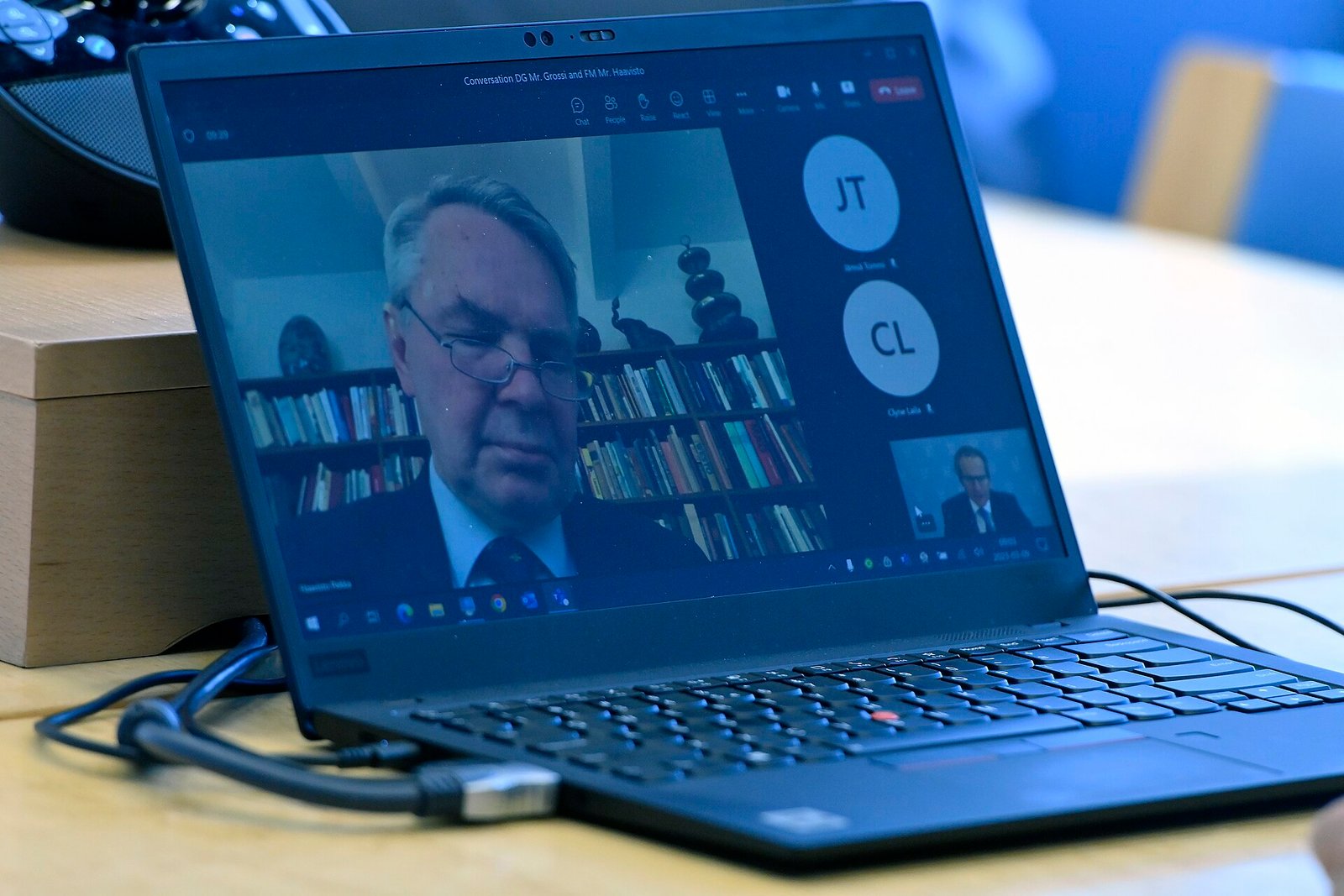
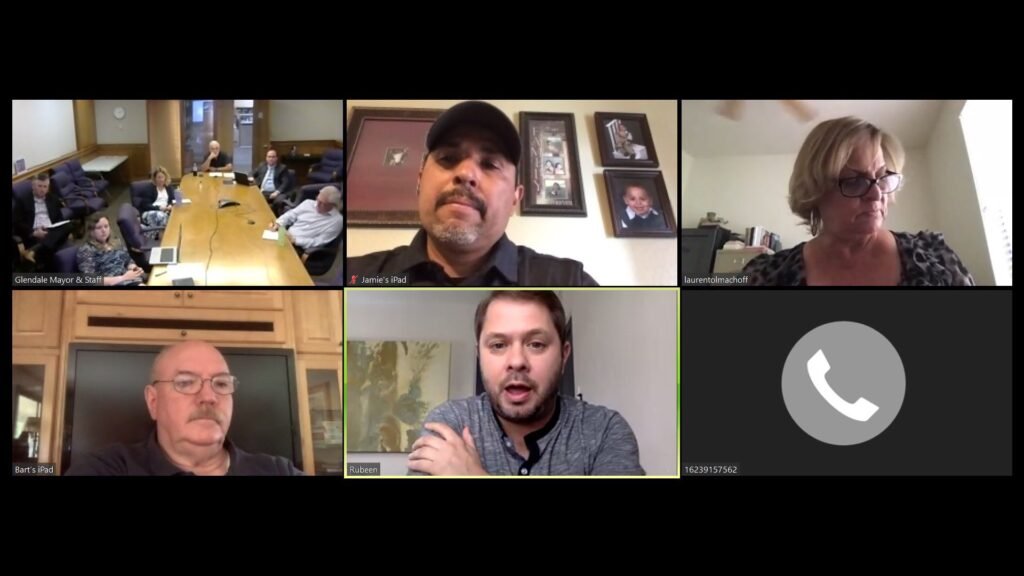
Featured image: A hybrid video meeting at the IAEA in Vienna. AI note takers transcribe and summarise calls like this automatically. · Photo: IAEA Imagebank / Wikimedia Commons, CC BY 2.0
Related stories

Sources
- Otter.ai 4 Oct 2026Basic 300 min/month, 30 min cap, 3 lifetime imports; Pro $8.33 annual, 1,200 min, 90 min; Business $19.99 annual, unlimited, 4 hours, 3 concurrent; Enterprise SSO, SCIM, HIPAA add-on, API; six languages; MCP server; India-card offer
- Fireflies.ai 4 Oct 2026Free unlimited transcription, limited summaries, 400 min storage; Pro $10/$18; Business $19/$29; Enterprise $39 annual; 100+ languages; Chrome extension without bot; 3-hour recording limit; SOC 2 Type II, GDPR, HIPAA; data not used for AI training
- Fathom 4 Oct 2026Free unlimited recordings/transcriptions; Premium $16/$20; Team $15/$19; Business $25/$34; Enterprise SSO, SCIM, retention
- Fathom 4 Oct 2026Zoom, Meet, Teams; bot-free option; Salesforce, HubSpot, Slack, Notion, Asana; API; SOC 2 Type II, GDPR, HIPAA
- Granola 4 Oct 2026No bot, device audio; macOS, Windows, iPhone, Android; works with Zoom, Meet, Teams
- Granola 4 Oct 2026Free 30-day history; Business $14; Enterprise $35 with SSO, SCIM, HIPAA; SOC 2 Type II; training opt-out
- Zoom 24 Jun 2026AI Companion features folded into Workplace; meeting summaries etc. included in eligible paid plans at no additional cost; ZoomMate launch
- Zoom 4 Oct 2026ZoomMate $20 monthly/$16.67 annual, 2,200 credits; Basic 3 meeting summaries/month
- Google Meet Help 4 Oct 2026Take notes for me: eligible edition, saved to Drive, 8 languages, participants notified, 15 min-8 hours
- Google 4 Oct 2026Gemini in Meet from Business Standard
- Microsoft 4 Oct 2026Teams Premium $10/user/month paid yearly, intelligent recap, requires Teams licence
- Microsoft 4 Oct 2026Microsoft 365 Copilot Business $18/user/month paid yearly (from $21); Copilot in Teams; Facilitator agent
- Reporters Committee for Freedom of the Press 4 Oct 2026Federal one-party consent; about 11 all-party consent states; stricter law for interstate calls